
Useful Tech Accessories for Work, Study, and Home
Small, well-chosen tech accessories can transform your daily routine—making work more efficient, study sessions less stressful, and home life smoother. This guide highlights practical items that deliver real benefits without unnecessary complexity.
Below you’ll find clear suggestions for desks, mobile devices, audio, video, comfort, and smart-home basics, plus a short checklist and an FAQ to help you choose what matters most.
1. Desk essentials: power, ports, and posture
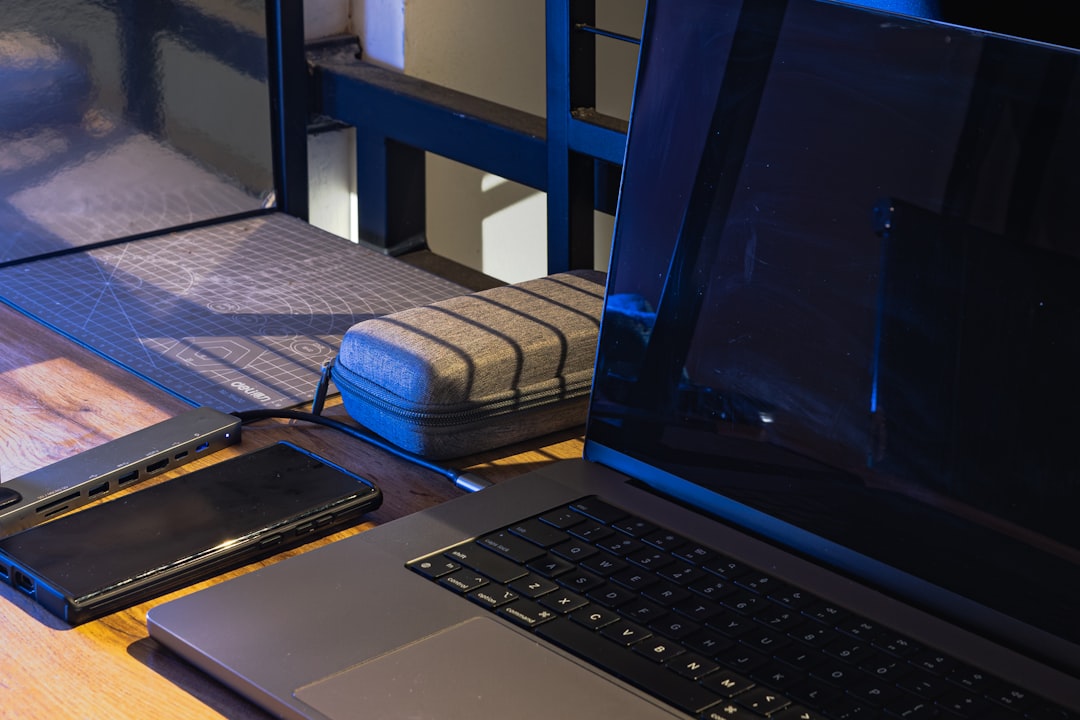
A clutter-free, connected desk is the foundation of productivity. Start with a reliable USB-C hub or multiport docking station to expand a laptop’s limited ports, and add a compact, mechanical or low-profile wireless keyboard and a precision mouse for long sessions. A laptop stand that raises the screen to eye level reduces neck strain and improves posture—pair it with an external monitor if your work includes spreadsheets or design.
For a curated selection of reliable peripherals and desktop accessories, check the Tech & Gadgets category on Smart Buyers Mart.
2. Mobile accessories that keep you connected
Phones are central to both work and study. Essential mobile accessories include fast-charging power banks (preferably with USB-C PD), a durable case, a magnetic or adjustable stand for video calls, and a compact tripod for steady shots. A high-quality screen protector preserves visibility during long reading or annotation sessions.
Explore compatible chargers, cases, and phone-friendly tools in the site’s Smartphones category to find items that play well with your device.
3. Audio: focus, calls, and media
Good audio makes remote meetings clearer and helps you focus. Look for true wireless earbuds or over-ear headphones with noise cancellation and reliable microphone quality for calls. Battery life and comfort are key—choose models with easy touch controls and multipoint pairing if you switch between phone and laptop.
If you want a proven, user-friendly earbud with active noise cancellation and solid call performance, consider the JBL Tune 230NC. They balance battery life, ANC, and voice clarity for hybrid work and study.
4. Cameras and video gear for remote meetings and content
Sharp video matters for presentations, tutoring, and content creation. If your laptop webcam is grainy, upgrade to an external webcam or use a compact action camera or mirrorless camera where possible for higher image quality. A small ring light or soft LED panel will dramatically improve image clarity in dim rooms, and a stable tripod or clamp keeps the frame steady.
For camera bodies, lenses, mounts, and accessories, check products in the Photography section to find tools that upgrade your video setup affordably.
5. Comfort and wellness gadgets for longer sessions
Ergonomics and micro-breaks keep you productive over long days. Invest in an adjustable desk chair or a lumbar support cushion, and consider a compact footrest to improve circulation. For stress relief and better focus, small devices like white-noise machines, guided-breathing aids, or desk diffusers can help create a calmer workspace.
Smart Buyers Mart’s Wellness & Self-Care category lists items that support recovery and focus between sessions, from sleep aids to calming tools.
6. Smart home basics that support work and study
At-home tech should reduce friction. Useful smart-home additions include a reliable Wi‑Fi mesh or range extender for stable video calls, smart plugs for scheduled lighting, and a multi-device charging station that keeps cables tidy. Smart bulbs with adjustable color temperature help match lighting to the task—cool white for focus, warm for relaxation.
Browse practical additions and home-friendly devices in the Home Essentials category to streamline daily routines.
7. Entertainment and display: better screens and sound for breaks
When you step away from work, high-quality displays and sound improve relaxation and creativity. A monitor with good color accuracy and ergonomic adjustments doubles as a study tool and a media display. Soundbars, Bluetooth speakers, or a compact home theater setup make breaks more enjoyable without taking over the work environment.
For audio or television products that complement your workspace and leisure setup, see the Audio & Television category for speaker and display options that suit small rooms and apartments.
8. Where to find deals and what to prioritize
Prioritize upgrades that remove the biggest friction points: power/connectivity, ergonomics, and communication quality. Buy cables and adapters that support future standards (USB-C PD, USB4), choose rechargeable options to cut waste, and pick modular items you can reuse across devices. If you’re shopping on a budget, look for seasonal bundles and certified refurbished products.
Check the Exclusive Deals page for limited-time offers that bundle high-impact accessories at better value.
Quick checklist before you buy
- Compatibility: confirm ports, OS support, and size fit before purchase.
- Priority: fix the biggest workflow pain point first (charging, sound, or posture).
- Quality over trend: durable materials and solid warranties save money long-term.
- Portability: choose lightweight, foldable, or multi-use items if you move between locations.
- Power: prefer PD fast-charging and rechargeable batteries to avoid frequent replacements.
FAQ
Q: Which single accessory improves productivity the most?
A: A laptop stand combined with an external keyboard and mouse typically gives the fastest ergonomics and efficiency boost—raising your screen to eye level reduces neck strain and improves typing posture.
Q: Are wireless peripherals reliable for professional use?
A: Modern wireless keyboards and mice with Bluetooth or dedicated USB receivers offer low latency and strong battery life. For mission-critical audio or gaming, wired connections still eliminate interference concerns.
Q: How can I improve video quality without buying an expensive camera?
A: Improve lighting first (soft LED panels or a ring light), position the camera at eye level, and clean the lens. If possible, use a smartphone or action camera as a webcam via an app—these often outperform built-in laptop webcams.
Q: Which audio features matter for remote meetings?
A: Clear microphone pickup, reliable noise reduction, and comfortable fit are essential. Active noise cancellation is helpful in noisy homes, but mic quality is most important for clear speech transmission.
Q: How should I choose a power bank?
A: Match the output to your device (USB-C PD for modern laptops and many phones), choose capacity based on how many full charges you want, and look for built-in safety protections against overcurrent and short circuits.
Conclusion
Choose a few high-impact accessories—power/ports, comfortable input devices, and quality audio/video gear—to get the most benefit quickly. Focus on compatibility and ergonomics, and use deals to stretch your budget. With the right small investments, your work, study, and home routines will be noticeably smoother.
Products Featured in This Article
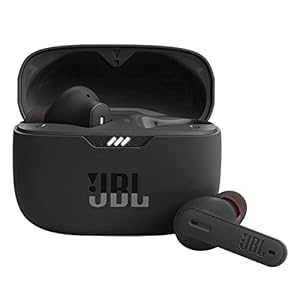
JBL Tune 230NC TWS – True Wi-…
JBL Pure Bass Sound: Smartly designed 10mm drivers enhanced by the Dot form factor deliver JBL's…